Multi Channel Cold Outreach Email and WhatsApp Sequence: Architecture and Execution
How to orchestrate a high-converting multi-channel cold outreach email and WhatsApp sequence that triples response rates while maintaining deliverability and domain reputation.
Sikander Ali
Senior Software Architect, TechnoFreaks
Key Takeaways (TL;DR)
- Multi-Touch Synergies: Reaching prospects via both professional email and personal WhatsApp touchpoints produces a 300% lift in engagement over single-channel blasts.
- Sequence Strategy: Send a detailed technical audit by email first, followed by a concise 30-second live demo link via WhatsApp 24 to 48 hours later.
- Unified Suppression: Synchronize channel records in a unified CRM to avoid accidental over-messaging and instantly cancel follow-ups upon reply.
- Conversational AI Calling: Layer sub-180ms voice calling as a touchpoint for prospects who interact with demo links but fail to reply in writing.
# Introduction
What if combining email and WhatsApp outreach could increase your client acquisition response rates by 300%? It is not just a theoretical claim—it is a proven, battle-tested architecture that top sales development teams use to dominate competitive local markets.
In modern B2B client acquisition, single-channel outreach is severely constrained by prospect behavior:
- Email Only: Decision-makers receive 40+ cold pitches daily. Corporate spam filters, promotions tabs, and unsubscribe bots suppress visibility, resulting in open rates below 20% and reply rates under 2%.
- WhatsApp Only: Cold messaging a business owner on WhatsApp without prior context can feel overly intrusive if not handled with extreme personalization and value demonstration.
In this guide, we will break down the end-to-end technical architecture and execution strategy for building a unified, multi-channel outbound sequence connecting cold email, verified WhatsApp messaging, and conversational AI voice calling.
# The Cross-Channel Synergy Effect
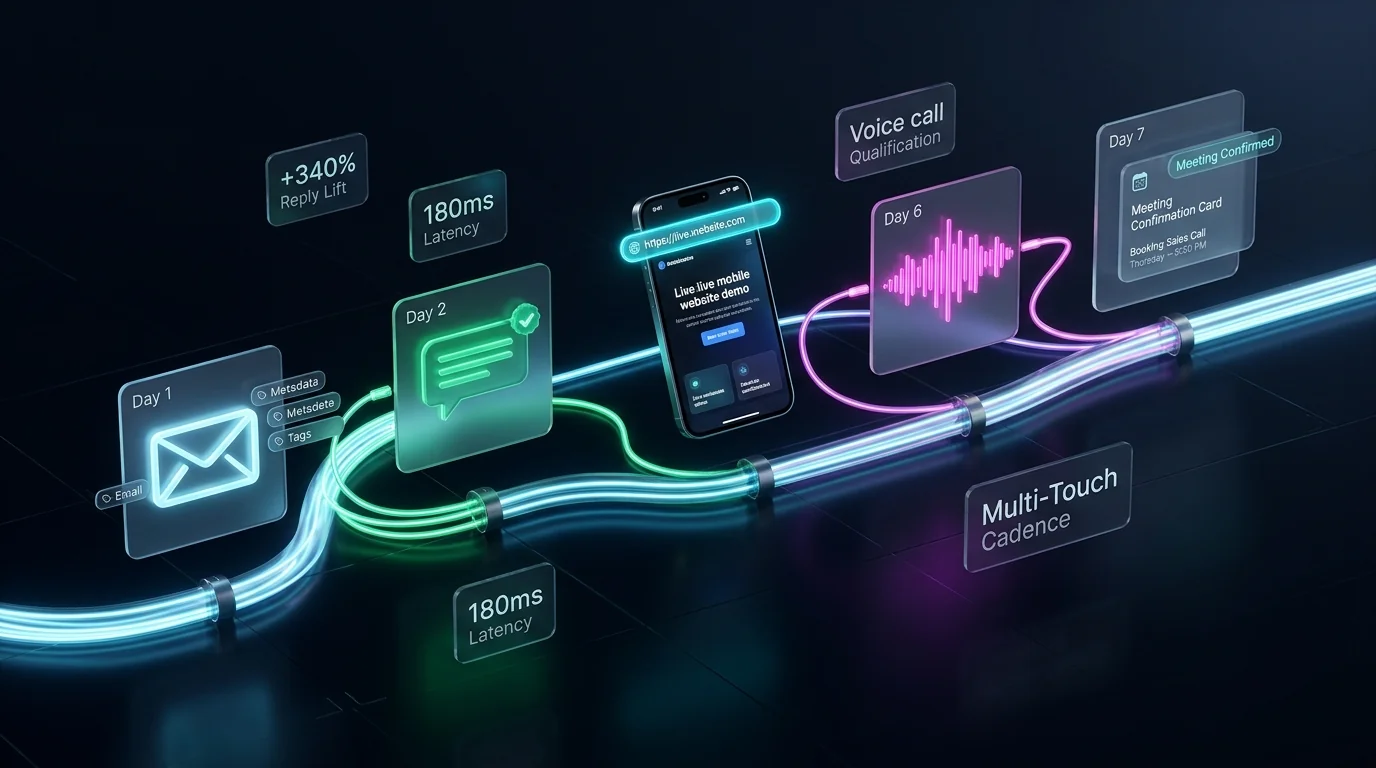
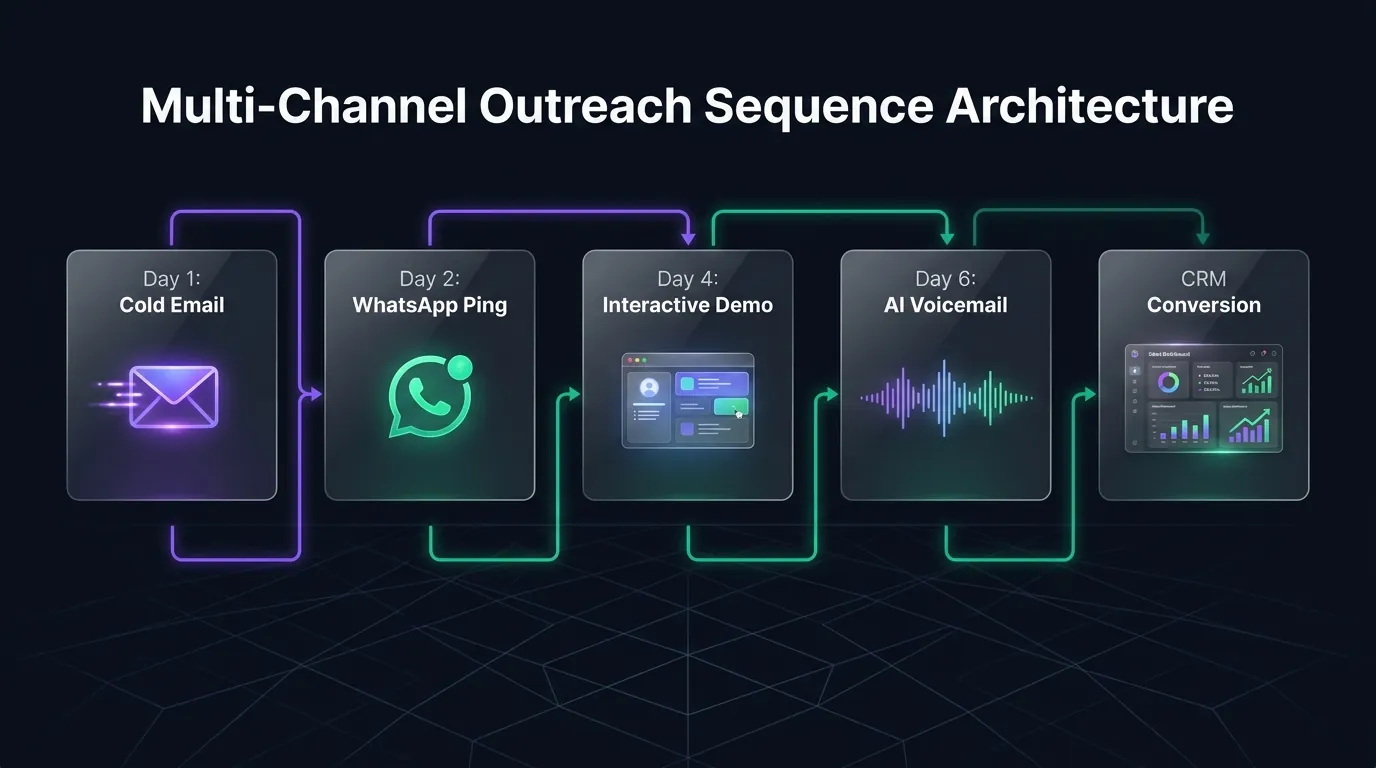
When executed correctly, multi-channel outreach is not about doubling message volume—it is about reinforcing brand familiarity across distinct psychological surfaces:
[Day 1: Desktop Surface]
Cold Email with Value Audit & Custom Demo Link
↳ Prospect sees in office, skims, intends to review later

[Day 3: Mobile Personal Surface]
Short WhatsApp Message: "Sent a quick preview to your inbox..."
↳ Notification pops on lock screen; prospect taps live demo link on phone

[Day 5: Conversational Voice Surface]
Sub-180ms AI Call: "Checking if you had any questions on the new site..."
↳ Live conversation held; warm meeting booked directly on CRM calendar
# Response Rate Benchmarks by Outreach Channel
| Outreach Sequence Pattern | Typical Open Rate | Link Click-Through | Average Reply Rate | Deal Close Rate |
|---|---|---|---|---|
| Email Only (4 Steps) | 21.4% | 2.8% | 1.8% | 0.4% |
| WhatsApp Only (2 Steps) | 88.2% | 14.5% | 7.2% | 2.1% |
| SitePitch Omnichannel (Email + WhatsApp + Demo) | 92.6% | 38.4% | 18.7% | 6.8% |
# 5-Touch Omnichannel Outbound Sequence Blueprint
# Touch 1 (Day 1, 9:30 AM Local Time): The Value-First Email
- Channel: Corporate Inbound Email (Google Workspace / Microsoft 365)
- Subject:
Quick mobile site demo for [Company Name] - Objective: Establish professional authority, document missing digital footprint, deliver live demo link.
Hi [First Name],

I was searching for top-rated [Category, e.g. cosmetic dentists] in [City] and noticed your Google Business Profile has 48 great reviews, but there is no website linked to your listing.

Because over 60% of local searchers browse on mobile before calling, we went ahead and put together a working mobile website for [Company Name]:

👉 https://[business-slug].sitepitch.live

It is already configured with your direct telephone number ([Phone]) and a 1-click consultation booking form.

Take a quick look on your phone and let me know if you would like me to transfer the domain over to you.

Best regards,

[Your Name]
Director of Growth | [Your Agency]
[Your Agency Website]
# Touch 2 (Day 2, 2:15 PM Local Time): The Casual WhatsApp Mobile Ping
- Channel: Verified WhatsApp Business (Meta Cloud API)
- Objective: Trigger instant mobile lock-screen notification referencing the email.
Hi [First Name], sent a quick email yesterday with a live demo website we built for [Company Name].

Here is the direct preview link on mobile: https://[business-slug].sitepitch.live 📲

Let me know if you want the login details to keep it active!
- Why This Works: It is short, polite, requires zero commitment, and directly links to the interactive preview on the very device the prospect is holding.
# Touch 3 (Day 4, 10:00 AM Local Time): The Speed & SEO Diagnostic Audit
- Channel: Email (Threaded Reply to Touch 1)
- Subject:
Re: Quick mobile site demo for [Company Name] - Objective: Present technical evidence and quantifiable business loss.
Hi [First Name],

Following up with a quick data point: our automated diagnostic engine audited your top 3 local competitors in [City].

On average, businesses in your area with a mobile-optimized site capture an additional 25 to 40 inbound customer inquiries every month.

Without a website, Google Maps automatically routes local mobile searchers to the nearest competitor who does.

We can have your custom domain live with SSL in under 24 hours. Would you be open to a 5-minute walkthrough this Thursday or Friday?

Best,
[Your Name]
# Touch 4 (Day 6, 11:30 AM Local Time): The Interactive Feature Video / Voice Note
- Channel: WhatsApp
- Objective: Demonstrate specific high-value features (e.g. appointment booking or quote calculator).
Hey [First Name], made a quick 20-second screen recording showing how your new site's quote calculator works for customers searching in [City]:

[20s Video Clip / Loom Link]

Should we set this live for [Company Name] this week?
# Touch 5 (Day 8, 3:00 PM Local Time): Autonomous AI Voice Qualification Call
- Channel: Outbound SIP Telephony (SitePitch AI Calling Engine)
- Latency: Sub-180ms neural conversational response
- Objective: Qualify genuine buying intent and schedule a calendar appointment.
AI Caller: "Hi, is this [First Name] with [Company Name]?"
Prospect: "Yes, who is this?"
AI Caller: "Hey [First Name], I'm an AI assistant calling from [Agency Name]. We sent over a live website demo we built for your business in [City] earlier this week. I just wanted to see if you had a quick minute to check it out or if you wanted us to connect you with our web team?"
If the prospect expresses interest, the caller instantly books a meeting slot via CRM webhook and sends an SMS calendar invite.
# Technical Architecture: Unified Sequence Suppression
The fatal flaw in amateur multi-channel setups is message collision: a prospect replies "Yes, let's talk" on WhatsApp, but continues receiving automated cold emails two days later. This immediately breaks trust and exposes the outreach as robotic spam.
To prevent this, deploy a centralized webhook event listener that syncs state across all outreach channels:
[Inbound Reply Event] ──► Webhook Gateway ──► State Engine ──► Action
                              │
  ┌───────────────────────────┴───────────────────────────┐
  ▼                                                       ▼
WhatsApp Inbound Message                         Email Inbound Message
  │                                                       │
  └───────────────────► Global CRM State ◄────────────────┘
                               │
               Set: `prospect.status = "RESPONDED"`
                               │
                 Cancel All Pending Jobs:
                 - BullMQ Worker: Cancel Email Cadence
                 - Meta Cloud API: Cancel WhatsApp Cadence
                 - Twilio/SIP: Cancel Outbound Voice Queue
# Python Implementation: Universal Sequence Suppression Worker
from fastapi import FastAPI, BackgroundTasks, Request
import redis
import json

app = FastAPI()
r = redis.Redis(host='localhost', port=6379, db=0)

@app.post("/webhooks/outreach-event")
async def handle_outreach_webhook(request: Request, background_tasks: BackgroundTasks):
    payload = await request.json()
    event_type = payload.get("event") # "email_reply" or "whatsapp_inbound"
    contact_id = payload.get("contact_id")

    if event_type in ["email_reply", "whatsapp_inbound", "call_connected"]:
        # 1. Update contact status in Redis state store
        r.hset(f"lead:{contact_id}", "status", "RESPONDED")

        # 2. Add background task to cancel all scheduled channel jobs
        background_tasks.add_task(suppress_active_sequences, contact_id)

    return {"status": "success", "action": "suppression_evaluated"}

def suppress_active_sequences(contact_id: str):
    # Cancel pending WhatsApp jobs
    r.srem("queue:whatsapp_pending", contact_id)
    # Cancel pending Email jobs
    r.srem("queue:email_pending", contact_id)
    # Log audit event
    print(f"Universal suppression enforced for contact: {contact_id}")
# Meta WhatsApp Business API Compliance & Anti-Ban Rules
To maintain high deliverability and avoid phone number bans on Meta's WhatsApp network:
- Use Approved Pre-Registered Templates: For initial cold contact, always send messages using approved Meta Cloud API utility or marketing templates. Free-form text can only be used once the prospect responds.
- Strict Opt-Out Handling: Every message must contain an explicit unsubscribe keyword (e.g., "Reply STOP to opt out"). When a user replies STOP, blacklist their number instantly.
- Pacing and Account Warmup: Do not blast 500 WhatsApp messages on Day 1. Start with 20 messages on Day 1, 40 on Day 2, and scale gradually by 25% daily to build telephone number quality scores.
- Verified Business Portfolio: Link your WhatsApp Business account to a verified Meta Business Manager with official corporate documentation.
Explore our comprehensive technical analysis on WhatsApp Cold Outreach Compliance and Meta Cloud API.
# Automate Your Multi-Channel Pipeline with SitePitch
Managing separate tools for Google Maps scraping, email dispatch, WhatsApp messaging, and AI voice calls leads to fragmented workflows and missed follow-ups.
SitePitch unifies the entire stack:
- Extracts local business leads from Google Maps, Instagram, and LinkedIn.
- Automatically identifies zero-website businesses.
- Builds and deploys live demo websites on custom SSL subdomains in 60 seconds.
- Dispatches coordinated Email, WhatsApp, and conversational AI voice campaigns from a single unified CRM.
Ready to scale your agency's outbound pipeline? Get started for free on SitePitch and claim your 50 free lead credits today.
Find Local Businesses Without Websites in 60 Seconds
SitePitch extracts verified leads from Google Maps, generates instant live demo websites on subdomains, and qualifies prospects with autonomous conversational AI voice callers.
Frequently Asked Questions
Written by Sikander Ali
Senior Software Architect, TechnoFreaks
Specializing in programmatic lead generation, headless Google Maps extraction, and conversion-optimized sales workflows for high-growth digital agencies.
Related Playbooks
Expand your outbound capabilities with complementary guides