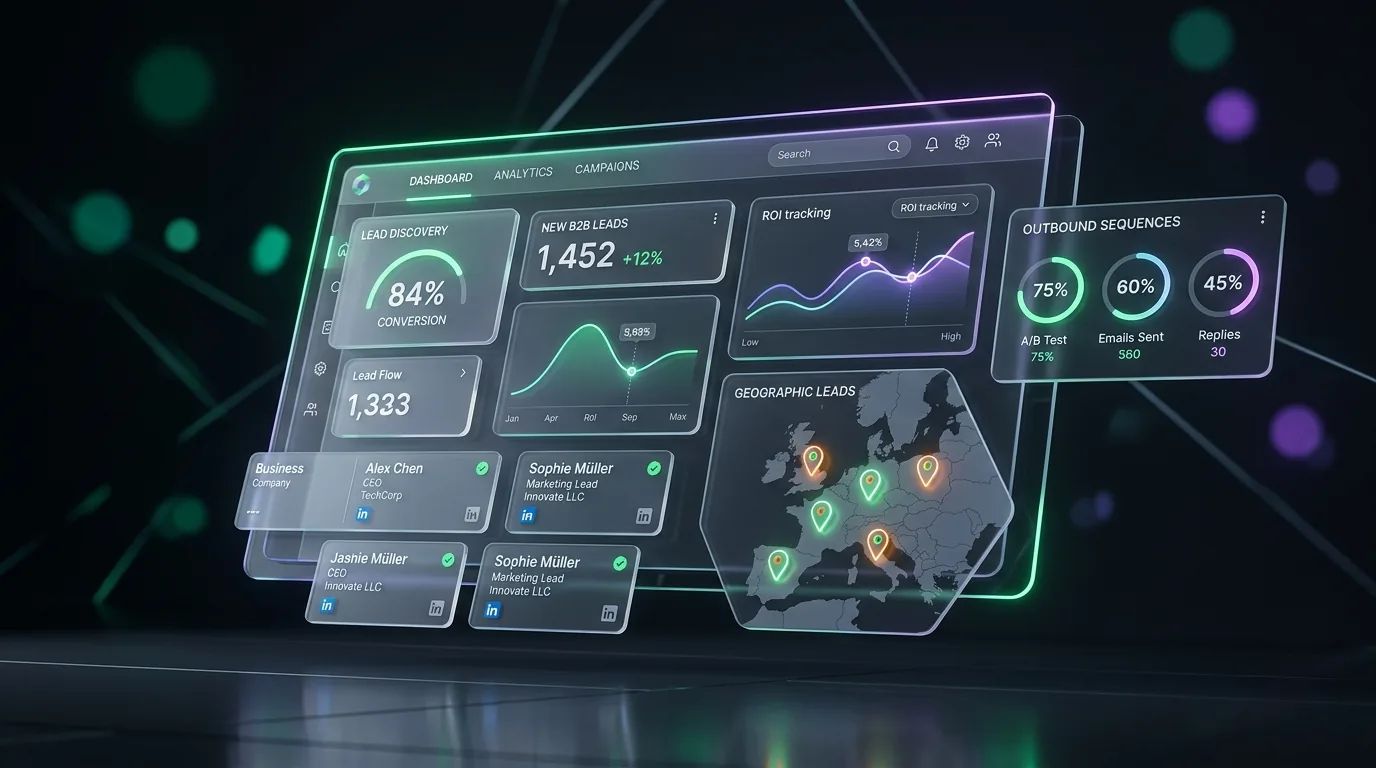

How to Extract Leads from Google Maps at Scale: 500+ Qualified Daily Contacts
A step-by-step engineering and growth guide on how to extract leads from Google Maps at scale, isolate businesses without websites, and automate outreach pipelines.
Extract Real-Time Local Leads & Pitch Live Demo Websites
Search any commercial trade and city. Harvest real-time Google Maps listings with verified phone numbers, identify businesses with zero website, and pitch with auto-generated live demo sites.
Sikander Ali
Senior Software Architect, TechnoFreaks
Key Takeaways (TL;DR)
- Targeting by Coordinate Radii: Grid-based geographic querying uncovers up to 4.5x more local businesses than standard city-name keyword searches.
- Automated Website Gap Audits: Filtering for businesses without responsive websites reveals high-ticket web design and marketing opportunities.
- Multi-Channel Pacing: Linking extracted contacts directly to automated WhatsApp and cold email sequences maximizes positive discovery calls.
# Introduction
Extracting high-quality B2B leads from Google Maps has become one of the most effective strategies for sales teams looking to scale their outreach efforts. With the right approach, you can extract 500+ qualified business leads daily and save them directly to CSV files for immediate use in your marketing campaigns.
In this comprehensive guide, we'll walk you through our proven methodology for Google Maps lead extraction, including the tools, techniques, and best practices that have helped thousands of businesses generate consistent lead flow.
# Why Google Maps for Lead Generation?
Google Maps is the world's most comprehensive, continuously updated directory of commercial entities. When compared to legacy static B2B databases, Google Maps provides distinctive advantages:
# 1. High-Quality, Verified Data
Google Maps provides verified business information including physical addresses, commercial phone numbers, websites, operating hours, and customer reviews—all essential data points for targeted outreach.
# 2. Real-Time Directory Updates
Business information is constantly updated by business owners and local guides, ensuring you are working with live data rather than decayed email databases that plague traditional lead vendors.
# 3. Precision Geographic Targeting
Target specific cities, neighborhoods, postal codes, or coordinate grid tiles to find businesses in your exact service area with surgical precision.
# 4. Cost-Effective Pipeline Scale
Compared to expensive subscription databases charging $0.50 to $1.00 per contact, extracting leads with SitePitch's Google Maps Lead Scraper delivers unlimited contacts at a fraction of the cost with superior phone accuracy.
# 5. How to Get B2B Leads for Free: Using Google Maps as a Free Business Lead Finder Online
For bootstrap founders and small service agencies wondering how to generate leads for free, Google Maps acts as a completely free business lead finder online. You can manually inspect local commercial listings to collect direct mobile numbers, physical addresses, and verified operating hours without paying a dime to expensive list vendors.
To eliminate repetitive manual copy-pasting, SitePitch offers a free lead finder tier with 50 verified lead credits. This allows agencies to test automated Google Maps extraction, website gap identification, and instant live demo website generation with zero upfront costs.
# The 5-Step Extraction Workflow
Our platform follows a systematic engineering approach to ensure consistent, high-volume extraction while maintaining compliance and data integrity:
# Step 1: Define Search Parameters
Start by clearly defining your target criteria: business type (niche), geographic radius, company attributes, and review counts. Focusing on specific verticals (e.g., "Plumbing Contractors in Houston TX") ensures significantly higher conversion rates.
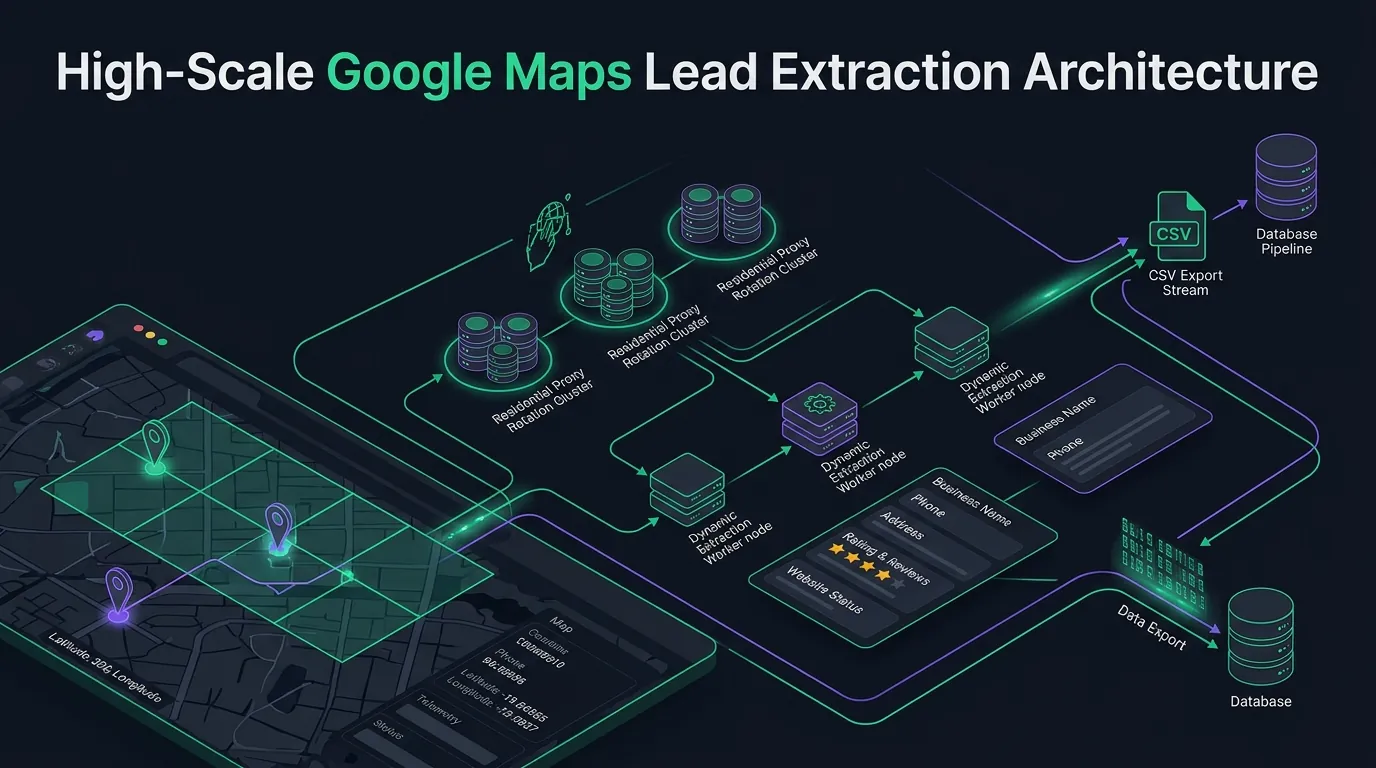
# Step 2: Execute Geographic Grid Searches
Standard keyword searches only return the top 20 to 60 listings in a city center. By dividing metropolitan areas into multi-point coordinate grids (geohashes), our crawler discovers hidden suburban businesses that standard searches miss. For an in-depth technical breakdown of bounding box mathematics, proxy pools, and anti-bot evasion, read our architectural guide on Google Maps scraping without IP bans.
# Step 3: Extract Rich Business Metadata
Extract comprehensive listing data:
- Legal Business Name
- Full Street Address, City, State, ZIP
- Direct Telephone Numbers
- Website URL and Domain Status
- Star Rating and Review Count
- Primary and Secondary Business Categories
# Step 4: Data Validation & Cleaning
Automatically normalize phone numbers into international E.164 formatting, verify SSL certificates on provided domains, strip duplicates, and filter out closed establishments.
# Step 5: Export to CSV or Direct CRM Dispatch
Export cleaned leads into structured CSV files ready for import, or stream them directly into your outreach automation sequences.
# Essential Data Points to Extract
Not all data is created equal. Focus on extracting these high-value data points that drive successful outreach campaigns:
- Business Name & Legal Entity
- Complete Address with ZIP Code
- Direct Mobile & Business Phone Numbers
- Website URLs (and absence of website)
- Primary and Secondary Categories
- Customer Review Counts & Average Rating
- Operating Hours & Peak Times
- Social Media Profiles (Facebook, Instagram, LinkedIn)
# From CSV to Campaign: The Complete Pipeline
Once you have your verified leads, the real conversion lift occurs when you connect them into automated outreach channels:
Google Maps Lead Extraction
        │
        ▼
Automated Website Audit (Isolate missing/broken websites)
        │
        ▼
Live Subdomain Demo Generation (SitePitch Website Demo Engine)
        │
        ├──────────────────────────┐
        ▼                          ▼
Automated WhatsApp Outreach   Cold Email & Follow-Up Sequence
# WhatsApp Campaign Integration
Import extracted phone numbers into our WhatsApp automation engine. The system checks numbers for WhatsApp registration, applies human-like randomized delays (60–180 seconds), and sends personalized messages with working demo previews.
# Email Campaign Automation
Pair phone outreach with structured cold email sequences. Follow up with decision-makers using data points extracted directly from their Google profile.
# Multi-Channel Synergy
Combining email and WhatsApp touches lifts response rates by up to 300% compared to single-channel email outreach.
# Contextual Opportunity: Targeting High-Converting Businesses
The single highest-converting segment discovered through Google Maps scraping is local businesses operating without modern web properties.
Instead of sending generic inquiries, identify businesses without websites and generate instant prototypes with our website demo generator to show clients tangible proof. For regional service providers, explore our dedicated local business lead generation strategies.
# Common Pitfalls to Avoid
- Over-Extraction in a Single Session: Rapid unthrottled requests trigger IP rate limits and temporary CAPTCHAs. Always use distributed residential proxy pools with adaptive delays.
- Skipping Phone Normalization: Landlines and malformed phone numbers result in high bounce rates. Always validate numbers against international E.164 standards.
- Pitching Without Personalization: Sending generic blast messages yields reply rates under 2%. Always reference the business's neighborhood, rating, or website status.
# Summary & Next Steps
Google Maps lead extraction, when executed with coordinate grid tiling and automated data validation, provides a perpetual source of high-intent B2B leads. By connecting extracted listings with automated outreach sequences, your team can consistently close high-ticket retainers.
Get started today with SitePitch's Google Maps Lead Scraper or sign up for a free account.
Free B2B Lead Database Download & Live Preview
See what fresh, verified B2B leads look like before running your first scrape. Explore verified phone numbers, business ratings, and identified website gaps that you can pitch today.
| Business Name & Territory | Phone & WhatsApp | Rating | Website Status & Angle |
|---|---|---|---|
Apex Summit Roofing LLC Roofing Contractor • Austin, TX | +1 (512) 883-4921 WhatsApp Ready | ★4.8(42) | Missing website • $3,500 Pitch Ready |
Lone Star Gutter & Roof General Contractor • Dallas, TX | +1 (214) 902-7714 WhatsApp Ready | ★4.6(29) | Mobile TTFB 4.1s • Audit Pitch Ready |
Pinnacle Roof Systems Commercial Roofing • Houston, TX | +1 (713) 441-9820 WhatsApp Ready | ★4.9(67) | Missing website • Demo Subdomain Ready |
Blue Ridge Shingles & Tile Roofing Contractor • San Antonio, TX | +1 (210) 651-3329 WhatsApp Ready | ★4.7(38) | Unclaimed Listing • Local SEO Lead |
Find Local Businesses Without Websites in 60 Seconds
SitePitch extracts verified leads from Google Maps, generates instant live demo websites on subdomains, and qualifies prospects with autonomous conversational AI voice callers.
Frequently Asked Questions
Written by Sikander Ali
Senior Software Architect, TechnoFreaks
Specializing in programmatic lead generation, headless Google Maps extraction, and conversion-optimized sales workflows for high-growth digital agencies.
Related Playbooks
Expand your outbound capabilities with complementary guides